
news
latest posts:
latest stories:
latest posts:
latest stories:

A multi-user account is an administrator account on sizzly catering app that allows users to create multiple subordinate sub-accounts. This is particularly relevant for schools: If parents have several children at the same school, they set up an administrator account and create a separate sub-account for each child within it.
Manage any number of subaccounts
Quickly Switch Between Accounts
Manage Orders by Account
Manage Credit Balance per Account
Only one login for the administrator account
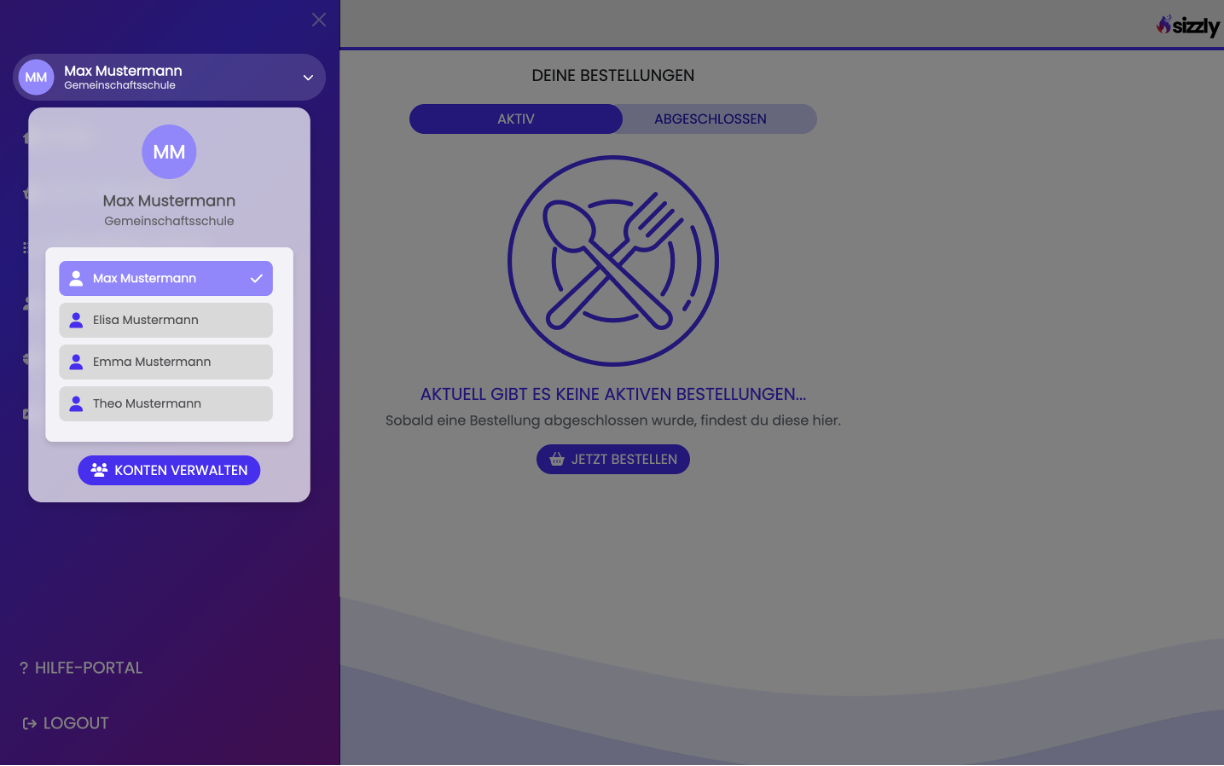
Until now, parents with multiple children had to log in to and out of each child's account for every order. With the multi-user account, that's no longer necessary:
The multi-user account is designed primarily for parents with multiple children at the same school—but it can generally be used in any situation where a person wants to manage multiple sub-accounts. In addition to the parent-child use case, this also applies to businesses: For example, if employees in the administrative office or in support roles need access to different cost center accounts—such as to post meeting refreshments directly to the appropriate cost center—the multi-user account makes this possible without requiring a separate login for each cost center.
Flexible Login Based on Age Group
For younger children, no separate login is required for each sub-account within the multi-user account: Parents order and manage everything centrally through the administrator account, and the child then simply picks up their meal in the school cafeteria using their NFC chip or ID card—without needing their own login. At high schools, a separate login can also be set up for each teenager, if desired. This allows the child to log in to their own account on their smartphone at any time, place orders independently, and pick up their meal. This is in addition to the fact that the administrator account still allows switching between sub-accounts without having to log out and back in—this feature remains available in all cases.
Benefits for Parents:
A multi-user account is an administrator account on sizzly catering app that allows you to create multiple sub-accounts—for example, for several children at the same school.
You can create multiple sub-accounts under a single administrator account, for example, for each child who receives meals at the same school.
No. In the administrator account, you can switch between individual child accounts with a single click, without having to log in again.
That depends on the child’s age and preferences. Younger children do not need their own login—they pick up their meals in the cafeteria using an NFC chip or ID card, while parents place orders centrally through the administrator account. In middle and high schools, a separate login can also be set up for each child so that teenagers can pre-order and pick up their meals independently using their smartphones.
Yes. You can view and manage the account balances and orders for all children added to the administrator account in one place.
Yes. In addition to the parent-child use case, the multi-user account can also be used, for example, when employees in the administrative office or in support roles need access to multiple cost center accounts—such as to post meeting catering expenses directly to the appropriate cost center—without needing a separate login for each cost center.
The multi-user account is particularly relevant in school settings where parents have several children attending the same school—but it can generally be used for any situation involving multiple accounts that need to be managed, such as for cost-center access in companies.